
How to Migrate Your Previous Cashmere Points to Fresh Wallet
A Step-by-Step Guide for Users with Old Wallets
At Cashmere, your security and continuity matter. While the Cashmere platform has never experienced a security incident, we understand that some users may have had previously compromised wallets due to external causes (phishing, private key exposure, unsafe extensions, malware, etc.).
To ensure you don’t lose your progress, points, or Cashmere identity, we’ve created a secure, signature-only verification process to link your historical points to a new “fresh” wallet.
This guide walks you through the entire process.
🔐 Why This Process Exists
If your old wallet was compromised, you should never reconnect it to dApps, bridges, or signing flows that could risk additional loss.
However, to verify that you control both the old and new wallets (without requiring any transactions), Cashmere uses Blockscan Chat — a secure, encrypted messaging layer built by Etherscan — where you prove ownership with simple on-chain signatures.
This method:
- Requires no gas
- Requires no transactions
- Uses only signing, meaning it’s safe even on compromised wallets
(as long as the attacker no longer has active control)
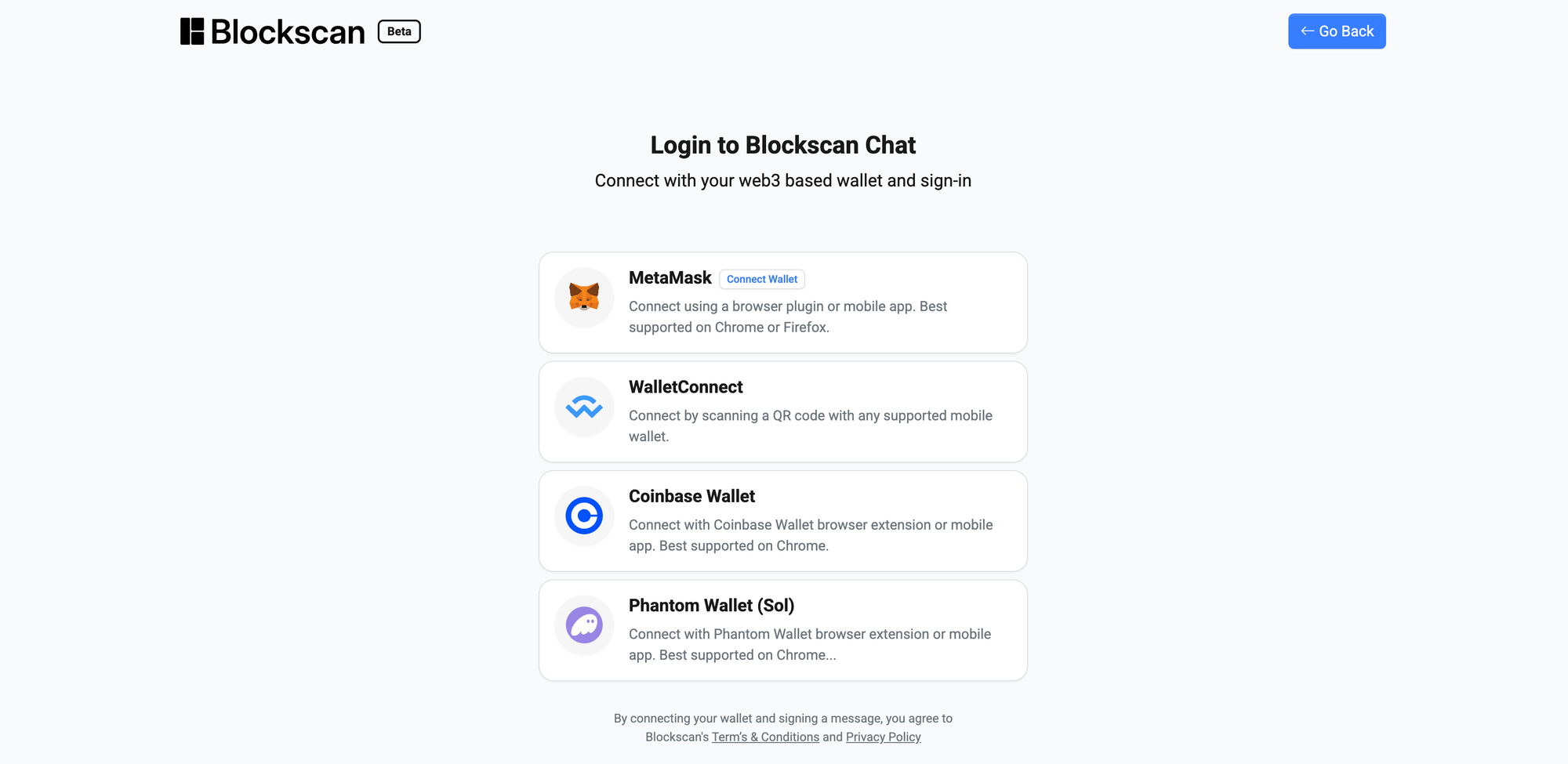
🧭 Step 1 — Open Blockscan Chat
Go to the official encrypted messaging app by Etherscan:
👉 https://chat.blockscan.com/connect-wallet
Click Connect Wallet and select your old compromised EVM wallet.
Important: This is only a signature-based login. It does not send transactions or expose your funds.
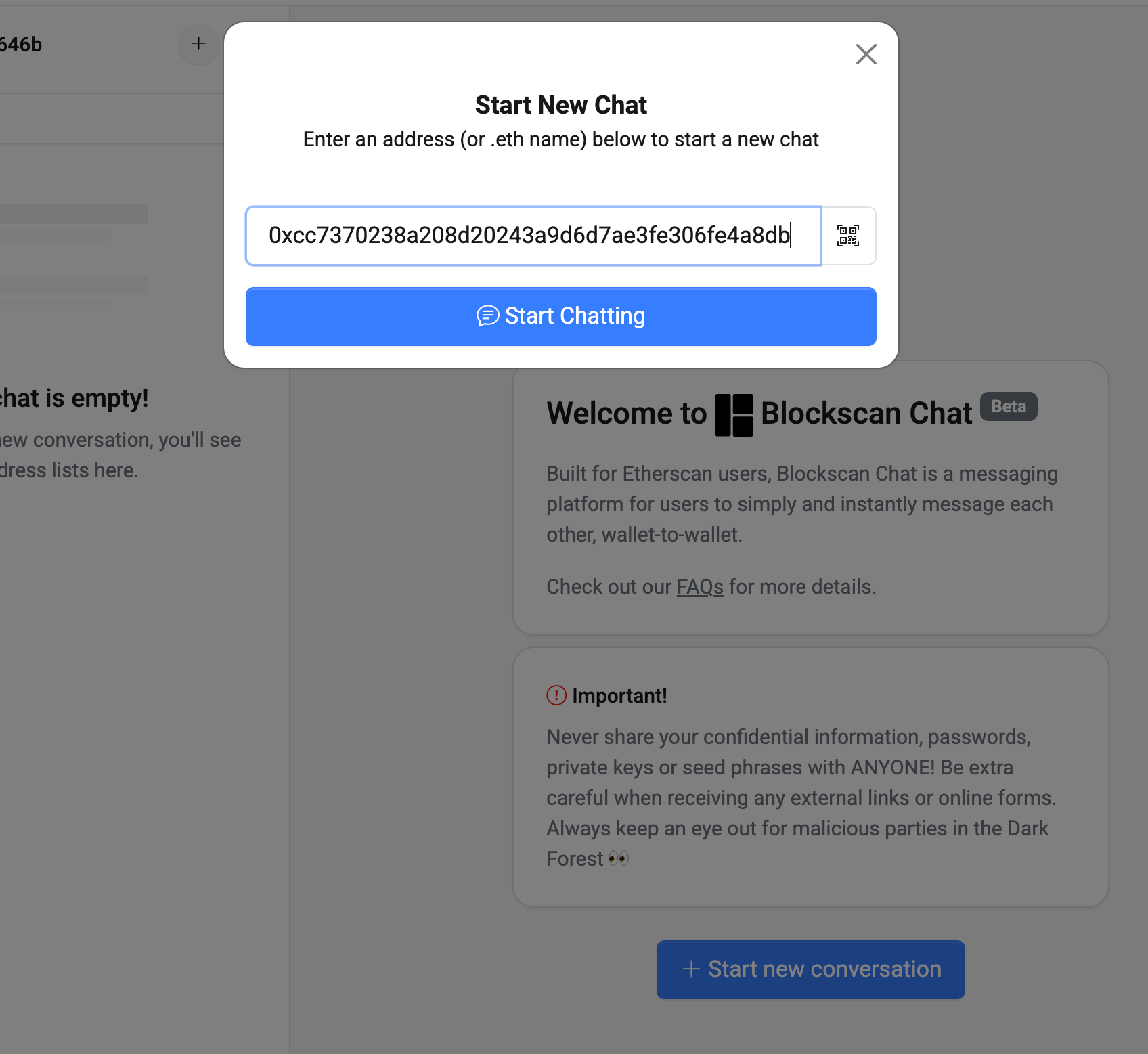
🧭 Step 2 — Start a Chat with Cashmere
Once logged in, start a new chat with the Cashmere verification address:
👉 0xcc7370238a208d20243a9d6d7ae3fe306fe4a8db
This is the official address to contact Cashmere on that process.
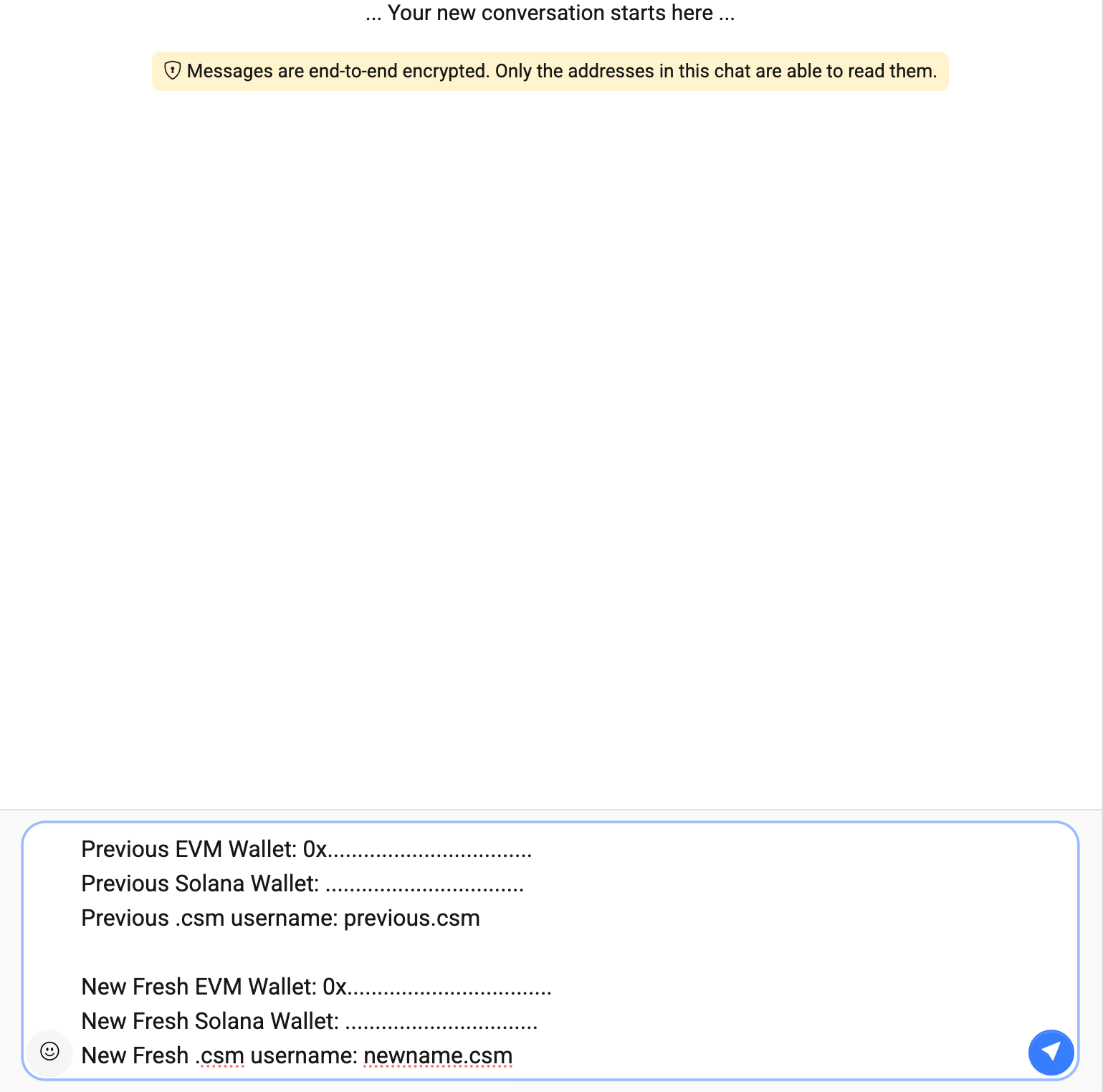
🧭 Step 3 — Send the Verification Template
Copy/paste the following message, filling in your old and new wallet details:
Previous EVM Wallet: 0x..................................
Previous Solana Wallet: .................................
Previous .csm username: previous.csm

New Fresh EVM Wallet: 0x..................................
New Fresh Solana Wallet: ................................
New Fresh .csm username: newname.csm
No additional explanation is needed — our system will handle the rest.
🛠 Step 4 — Cashmere Team Matches Your Points
After receiving your message, the Cashmere team will:
- Validate your signature from the old compromised wallet
- Verify the new fresh wallet ownership
- Match and migrate your historical points to your new accounts in the background
You don't need to take any further action — no bridging, no claiming, no approvals.
Once complete, your evaluation will be done with bundled points.
💬 Need Help?
If you run into issues or need clarification:
- Join our Discord
- Go to #support or open a ticket
Our team is always here to help.
❤️ To Our Early Adopters
This process exists because our earliest users have built the foundation of the Cashmere ecosystem. Maintaining your progress — safely — is a priority.
W for all early adopters and OG goats. 🐐
Stay safe, stay omnichain, and stay Cashmere.